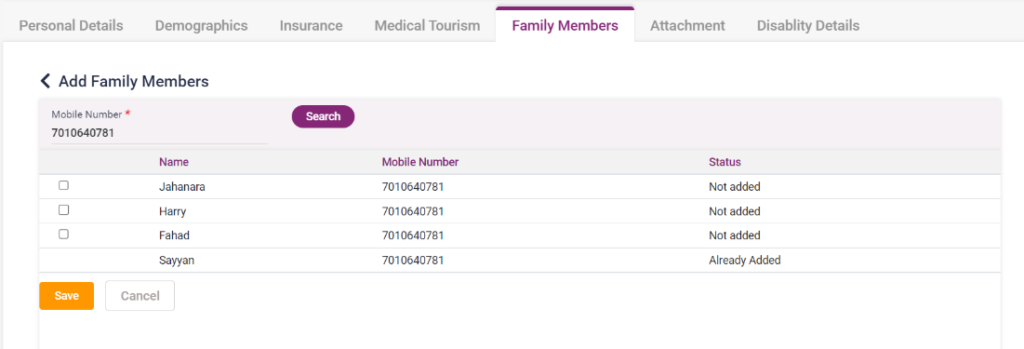
This form is available to fill in the details of the patient’s family members who have already consulted in this hospital. The user can add family members by entering the patient’s mobile number.
- Click on the “+ Add Family Members” button in the top right corner.
- On clicking a page to enter, the family member’s details will be displayed.
- Mobile Number- Enter the mobile number of the family member you want to add and click on the “Search” button.
- Search button– Upon clicking the search button, the list of family members linked to the mobile number entered will be displayed in the list.
- Select the member whom to add by clicking the check box present.
- Save button- After selecting the member, select the “Save” button to save the details.
- The cancel button redirects to the previous page upon clicking the Cancel button.
3.11. Family Members page
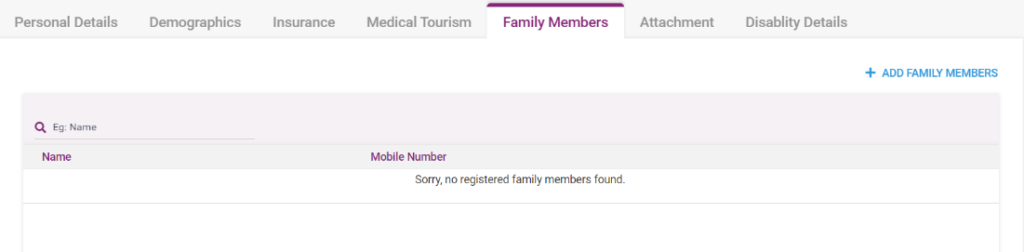
3.12. Family Members page- Add family members page