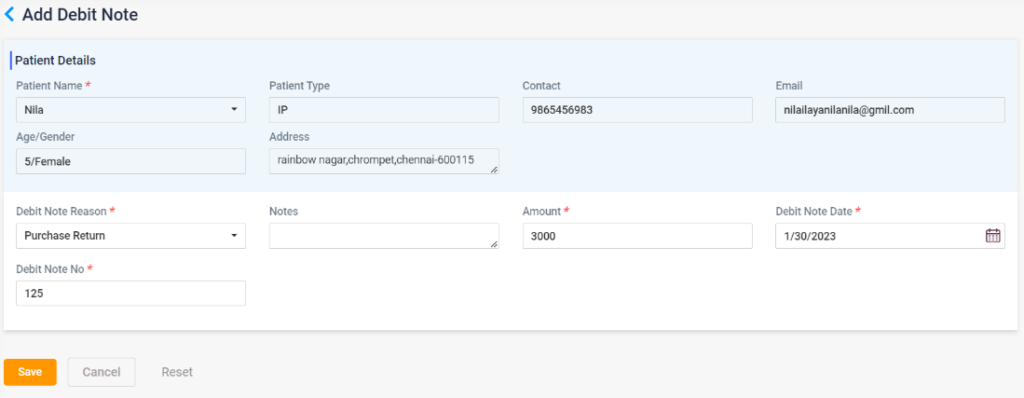
The user can add a debit note by using this option. Upon selecting directs to the “Add Debit Note” page. Patient name, type, contact number, email ID, age, gender, and address will be automatically loaded. The following details must be entered.
- Debit note reason: The debit note reason must be selected from the drop-down list.
- Notes: Any notes, if available, can be entered here.
- Amount: The amount of the debt is to be entered here.
- Debit Note Date: The date should be selected from the calendar.
- Debit Note No: The debit note no should be entered here.
- Save: Click on the save button to save the debit details.
- Cancel: Click the cancel button to cancel the entry and redirect to the previous page.
- Reset: Click on reset to delete the entered details.
3.2.41. Debit Note