
The user can access the Analytics page by clicking the “Analytics” tab from the main menu. The “Analytics” page consists of the following,
The main Analytics dashboard contains:
- The number of new patients registered for the day, new and existing patients, and the number of appointments.
- Appointments for the day according to the type of visit.
- Revenue collection and expenses have been done for the specific day.
- Wallet transaction history.
- Overall collection through a payment mode.
- Physician-wise appointment details.
- Patient count according to diagnosis.
The user can view above mentioned details according to the specific requirement.
- Day wise
- Month wise
- Custom date search
2.1 Analytics page (Out-patient service revenue and patient count according to visit type)
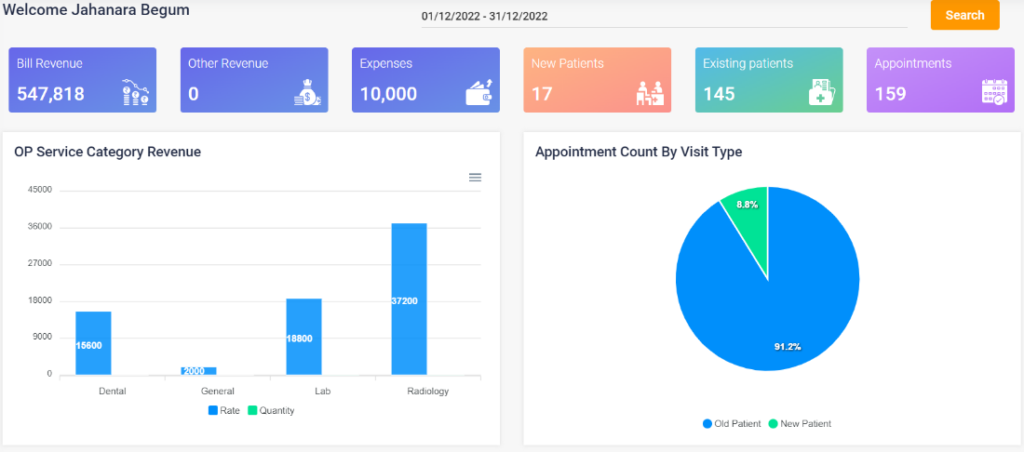
2.2 Analytics page (Income, Receipt)
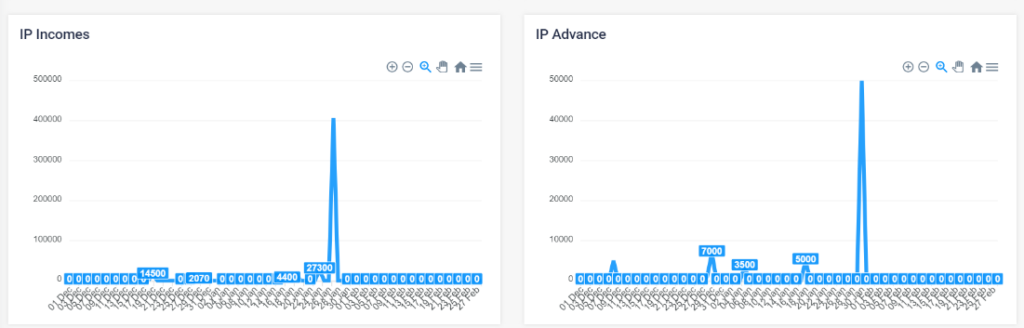
2.3 Analytics page (IP and OP Advance)
2.4 Analytics page (Other Receipts, patient count by diagnosis)
2.5 Analytics page (patient count by diagnosis, Daybook, doctor-wise appointment and payment mode)
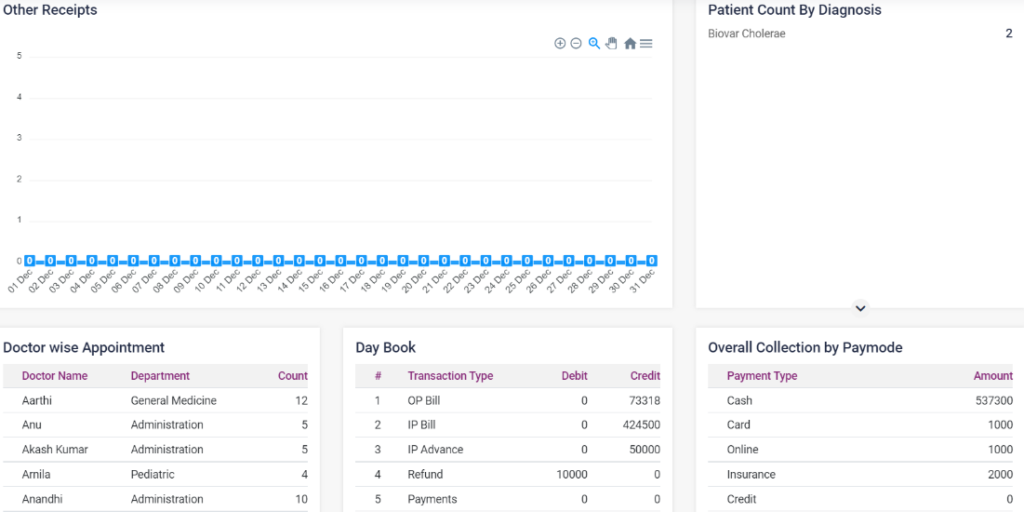
2.4 Analytics page (expenses and wallet transaction)
