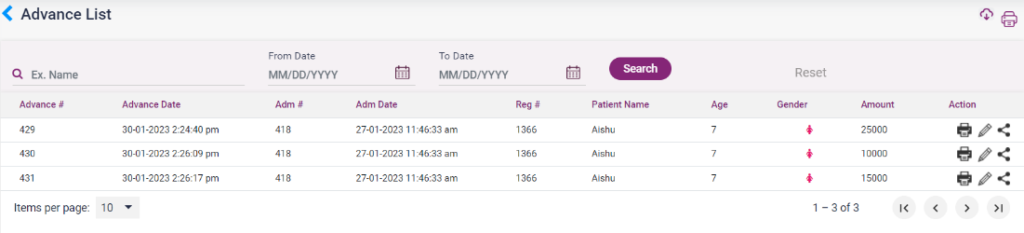
- The in-patients for whom an advance has been paid will be shown here.
- The advance details shown are Advance date, Admission number, Admission date, Register number, Patient name, age, gender, and amount.
- The advance payment details bill will be shown by clicking the print icon under actions. The user can print the receipt.
- On clicking the edit icon, it directs to the add advance page, where the user can add or edit the advance amount.
- The advance receipt can be shared through mail, message, and whatsapp using the share icon present.
7.A.1. Advance List