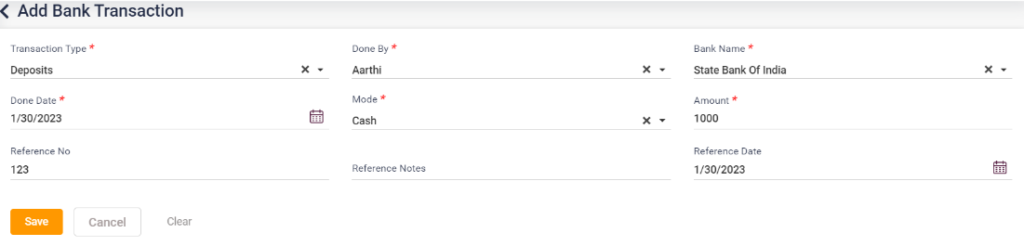
- If any particular transaction is done in the account that the hospital is linked to, it can be entered from this page.
- Click on the “Add Bank Transaction” button, which directs you to the add bank transaction page.
- Select the transaction type, bank name, done by, date, and mode, and enter the amount, reference number, reference notes, and reference notes.
- Click on “Save” to save the entry, cancel the entry, go back to the previous page, and click on clear to delete the entered details.
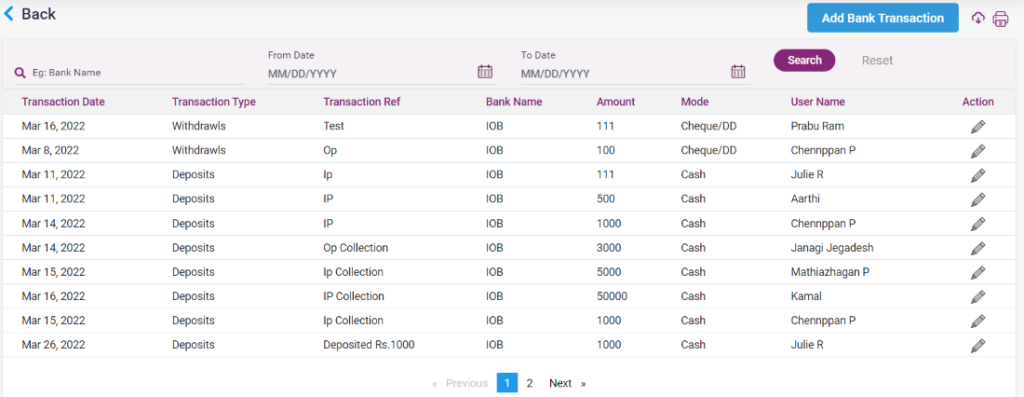
- The added bank transaction entry will be displayed on the bank transaction screen. Click on edit to edit the details.
8.7.1 – Bank Transaction List
8.7.2. – Add Bank Transaction