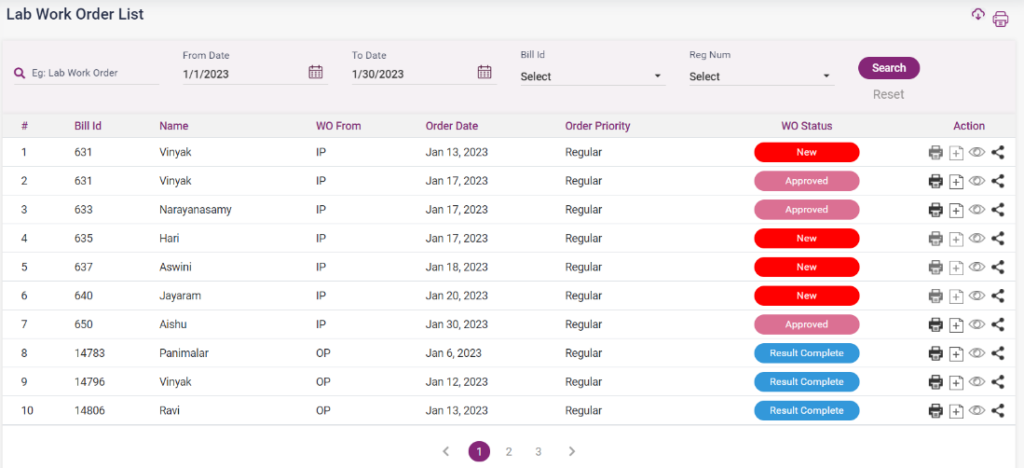
- The lab order list consists of all the lab orders irrespective of the WO Status.
- The lab orders can be searched by name search, From date and to date, bill number, and registration number.
- The different WO statuses are “New,” “Sample Collected,” “Acknowledged,” “Result Complete,” “Completed,” and “Approved.”
- The new lab orders can only be shared.
- The sample collected lab orders can be directed to the result entry page by clicking the “Add” icon. They can also be shared.
- The Acknowledged work orders can be viewed and shared.
- The complete work orders can be printed, viewed, shared, and directed to the result entry page.
- The approved and completed lab orders can be printed, viewed, and shared through mail or message from here.
9.2.1 Lab Order List