
- This page consists of the income for the hospital by any other means. It can be entered manually by clicking on the “Add Receipt Entry” button.
- Select the ledger, type, and enter the notes, Payment type, and amount. After entering the details, select the “Save” button.
- Once saved, the entry will be displayed on the Other Income list page with the status set as “Created.”
- If the user needs to cancel the income, then the user can click on edit, click on the “Enable to Edit” button, select the Cancel Income checkbox, enter the cancel reason, and click on the update button.
- Once updated, the entry will be displayed on the Other Income List page with the status “Cancelled.”
- The bills can be searched using the from date and to date.
8.10.1 Other Income List
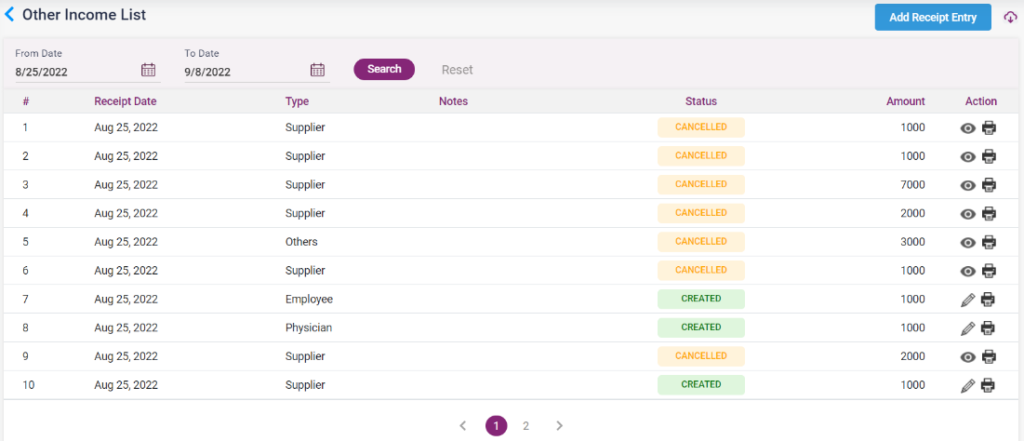
8.10.2 – Other Income List- Receipt Entry
