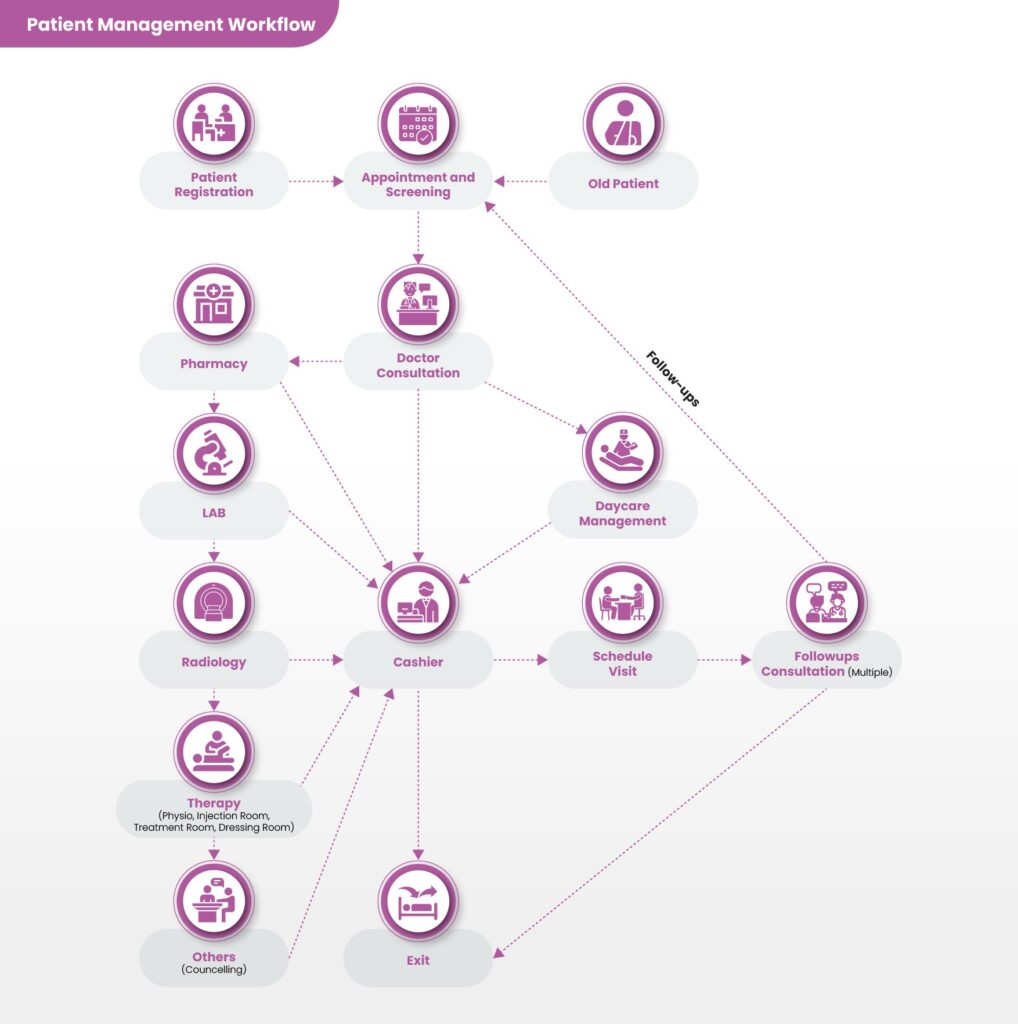
Ezovion Patient Management Workflow
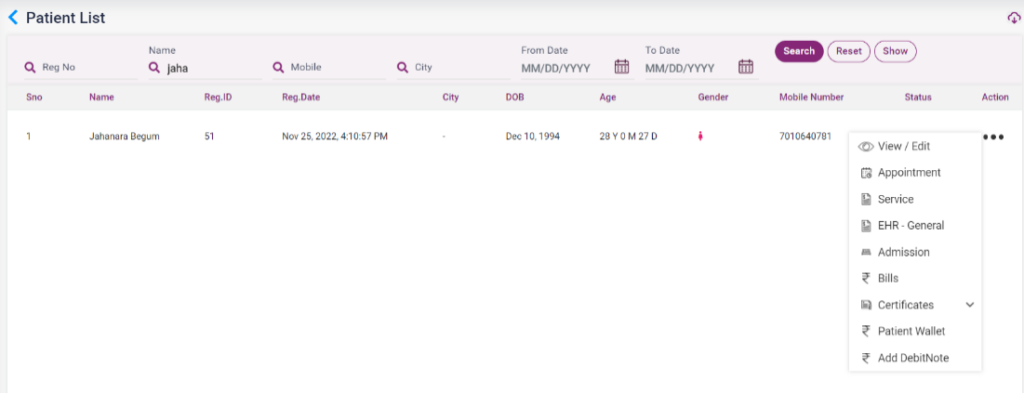
The patient list contains the list of patients registered in the Ezovion HMS. It also contains the details of the patients, such as Name, Reg ID, Registered Date, City, DOB, age, gender, mobile number, and status. From this page, the user can navigate to the following pages via the “Action” option present.
- View/Edit
- Appointment
- Service
- EHR
- Admission
- Bills
- Certificates
- Patient Wallet
- Add Debit Note
3.2.1. Patient list- Action icon