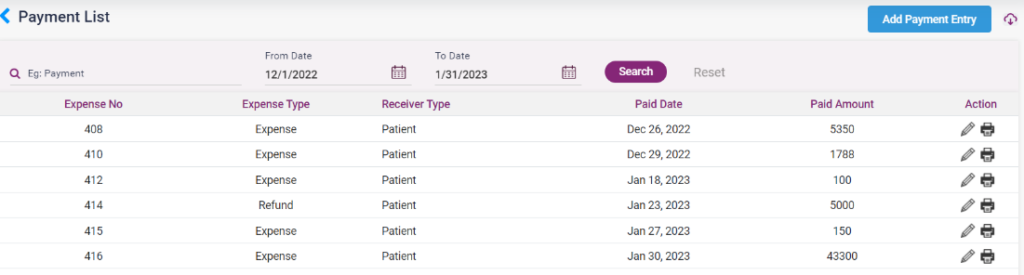
- To add a payment entry, click on the “Add Payment Entry” button, which directs to the “Add Payment” entry page. And enter the following details,
- Payment date: Current date will be displayed. The user can change the date if needed.
- Expense Type: Select the type of expense, whether refund or expense.
- Ledger Name: Select the ledger name from the list.
- Payment Receiver type: Select the receiver type. According to the receiver type selected, the name fields will appear.
- Notes: Enter notes, if any.
- Select the type of payment and enter the amount and reference number.
- Click on the save button to save the entry. The payment will be loaded on the Payment list page.
- The user can edit the entered details using the edit option.
- All the payment which has been refunded or returned for any reason those entries will also be loaded in this list.
8.1.1. Payment List