Stock consists of all the hospital belongings, such as equipment, instruments and all other items. Ezovion HMS provides various options to add or view the Inventory stock data, which include,
I. Stock
II. Opening Stock
III. Internal Department Stock
IV. Warehouse Wise Stock
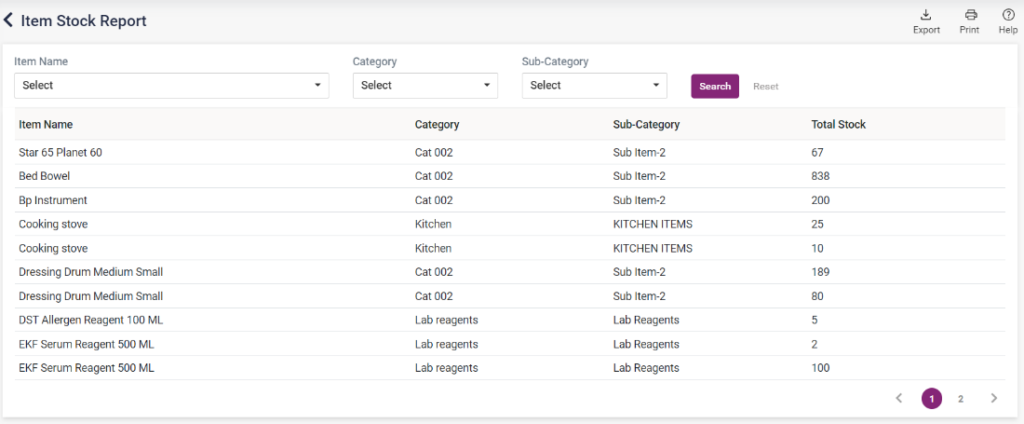
- Stock:
- The stock list consists of the stock details, including the Item Name, Category, Sub Category and the total stock of the item.
- The items available can be searched by “Item Name”, “Category”, and Subcategory.
- According to the search criteria, the stock details will be displayed.
- The stock list will get updated automatically on purchases or sales of an item.
13.A.11 – Inventory – Stock – Item Stock Report
- Opening Stock:
- Opening Stock is the amount and value of materials a company has available for sale or uses at the beginning of an accounting period.
- Opening stock in Ezovion HMS lists the stock details, including item name, category, warehouse name, GST Total, cost price, selling price, MRP and Quality.
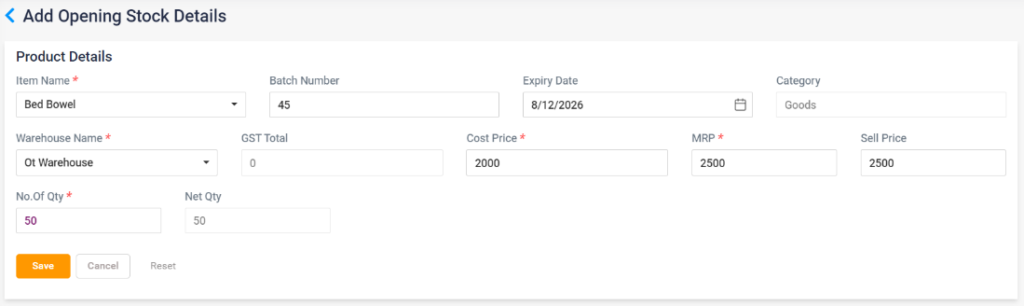
- The user can add opening stock by clicking on the “Add” button.
- On clicking, directs to the “Add Opening Stock details” page.
- Select the item name from the list; once selected, the category GST Total will be loaded automatically.
- Enter the batch number, Expiry date, warehouse name, cost price, MRP, Sell price and Amount Quantity. Once no. Of Quantity is entered, the net qty will be displayed.
- Click the Save button to add the item to the opening stock list. Click the Cancel button to cancel the entry and return to the previous page. Click on the Reset button to clear the details entered.
- The medicines added to the opening stock will be displayed on the “Opening Stock” screen.
13.A.12 – Inventory – Stock – Add Opening Stock
13.A.13 – Inventory – Stock – Opening Stock List

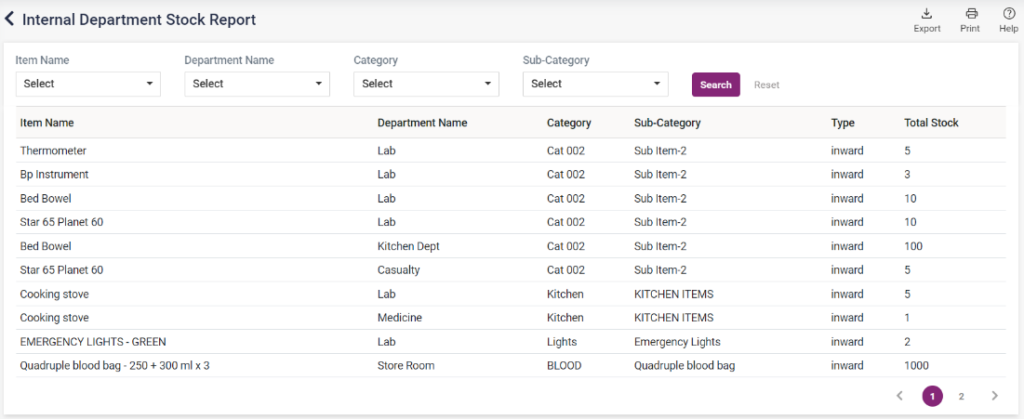
- Internal department Stock:
- The inventory stock will be displayed on this page according to the internal department.
- The available stock can be searched by item name, department name, category and subcategory.
- The type and total stock of the searched items will be displayed with the department, category and subcategory.
13.A.14 – Inventory – Stock – Internal Department Stock
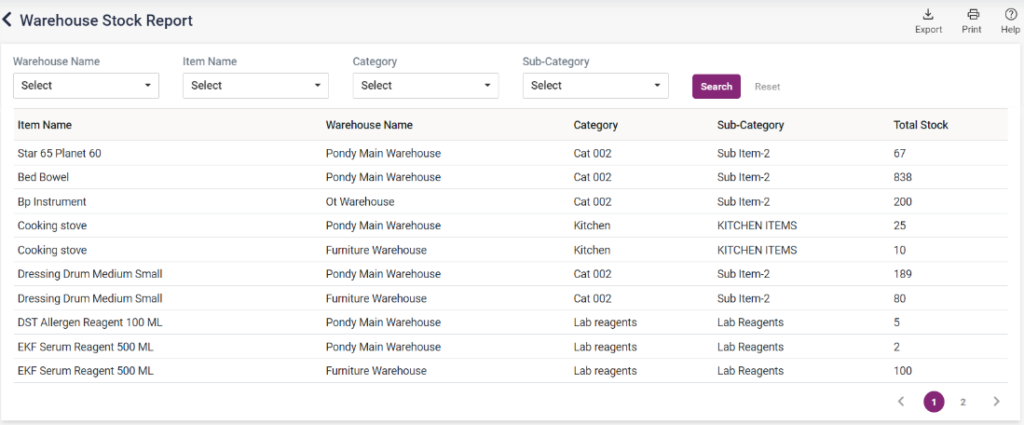
- Warehouse Wise Stock:
- The inventory stock will be displayed on this page according to the warehouse list.
- The available stock can be searched by warehouse name, item name, category and subcategory.
- The total stock of the searched items will be displayed with the warehouse name, category and subcategory.
13.A.15 – Inventory – Stock – Warehouse Wise Stock